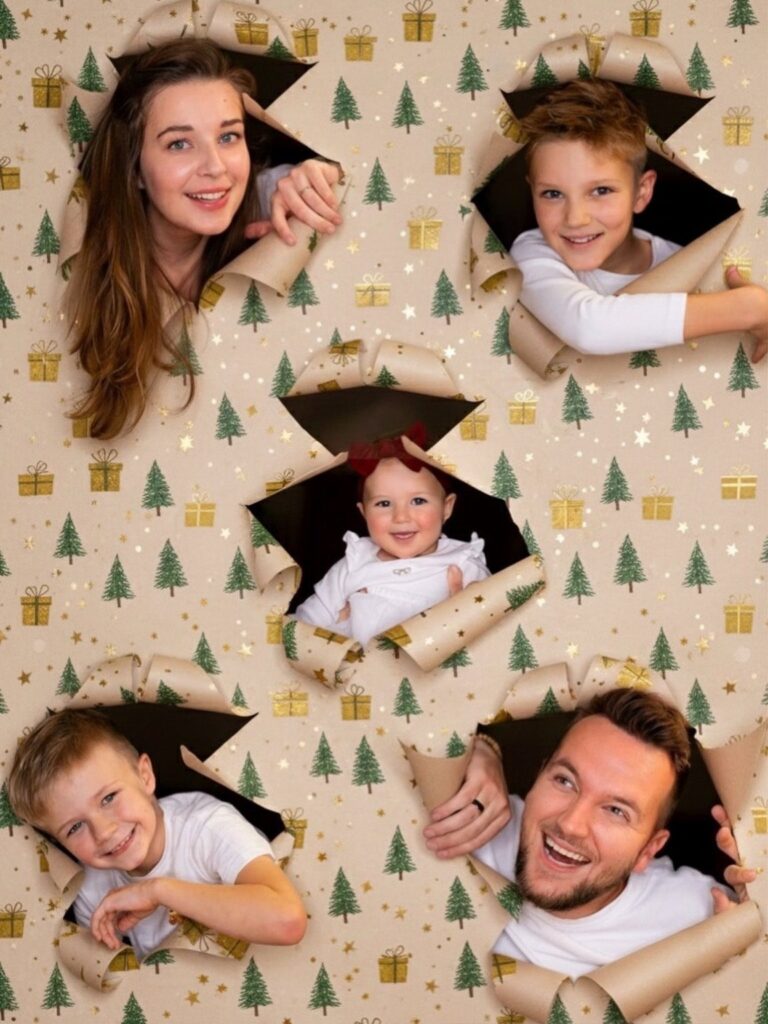
Who is in front of the camera decides which of these wrapping paper photoshoots works: a child will give you a short burst before patience runs out, a dog needs a treat held behind the paper, and a group card needs one big sheet with a hole measured for each person.
The ideas range from a few dollars of hung paper to an AI editor that skips the paper entirely. Whichever you pick, set up near a big window, because soft light does more for the shot than any prop.
1. Child Peeking Through Wrapping Paper
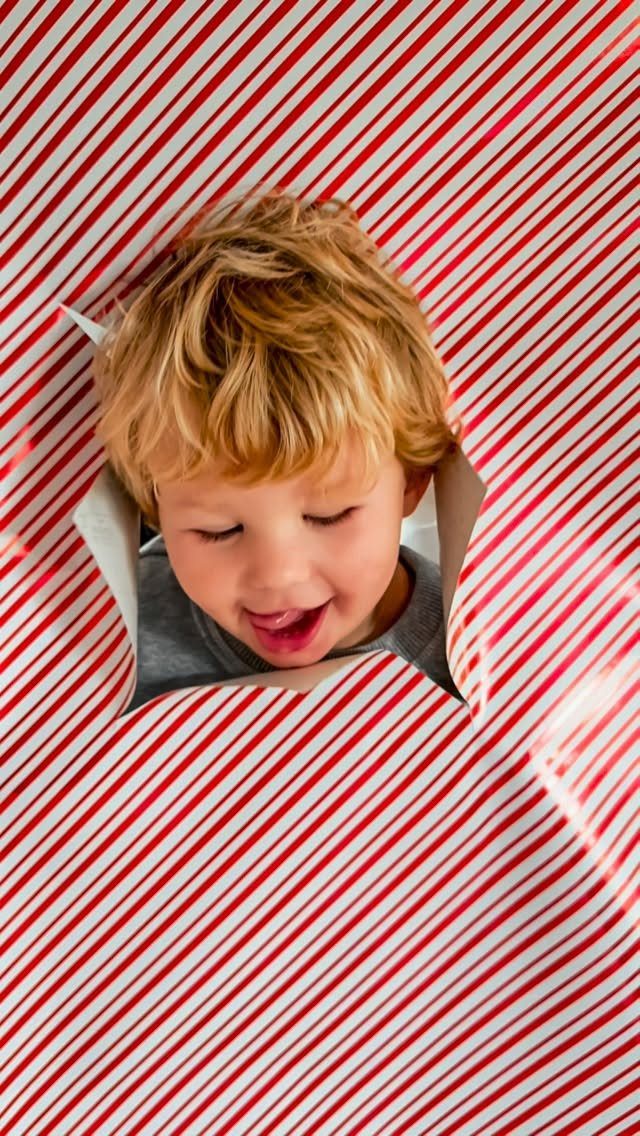
A torn hole in striped paper turns a child’s face into the whole picture, and the stripes give the frame a graphic edge that a plain sheet would not.
Stretch the paper across a doorway or a large piece of cardboard, tear the opening yourself before the shoot, and keep it a little bigger than a small face.
Kids tend to lose patience fast, so have the paper ready and shoot in a short burst.
2. Pet Peeking Through Wrapping Paper
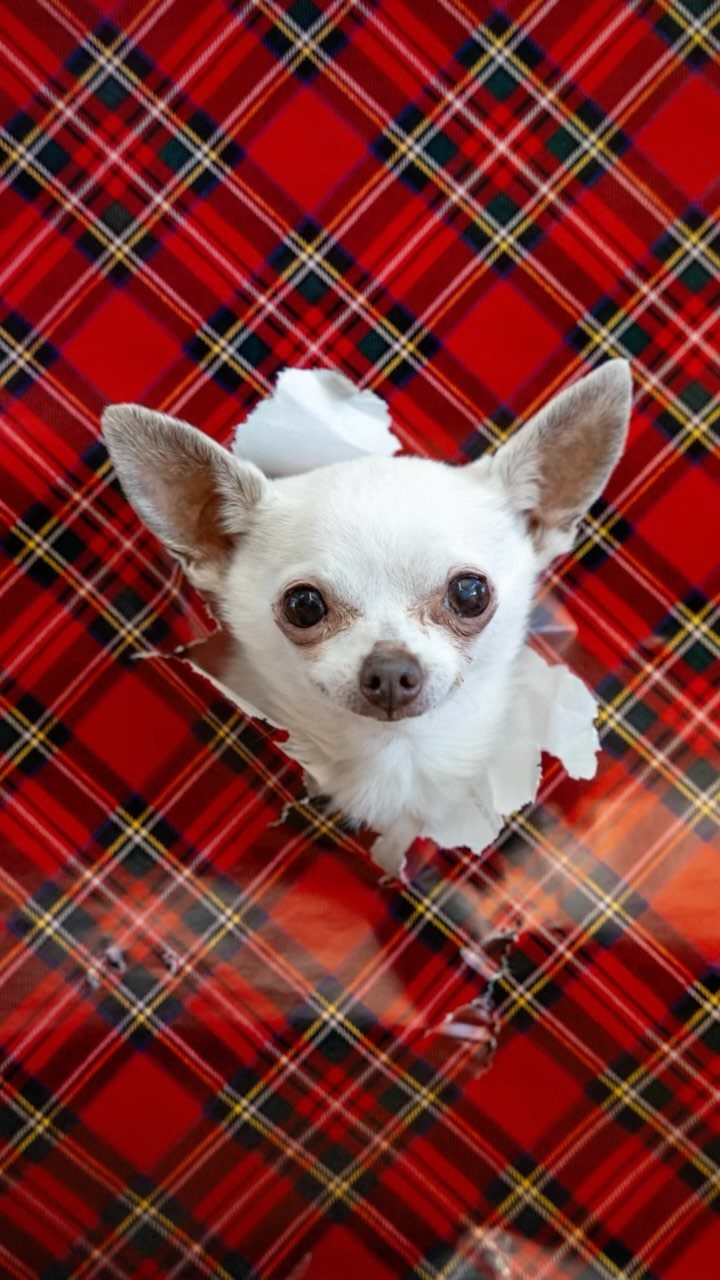
Dogs make the best subjects for this one, since a small face poking through a hole in plaid paper gives the gift a personality of its own.
Cut or tear the hole at the dog’s head height, then hold a treat or toy on the camera side so the nose and eyes come through the paper.
A bold pattern like red plaid keeps a white coat from disappearing, so I would pick a color that contrasts with your pet’s fur.
3. Wrapping Paper Backdrop
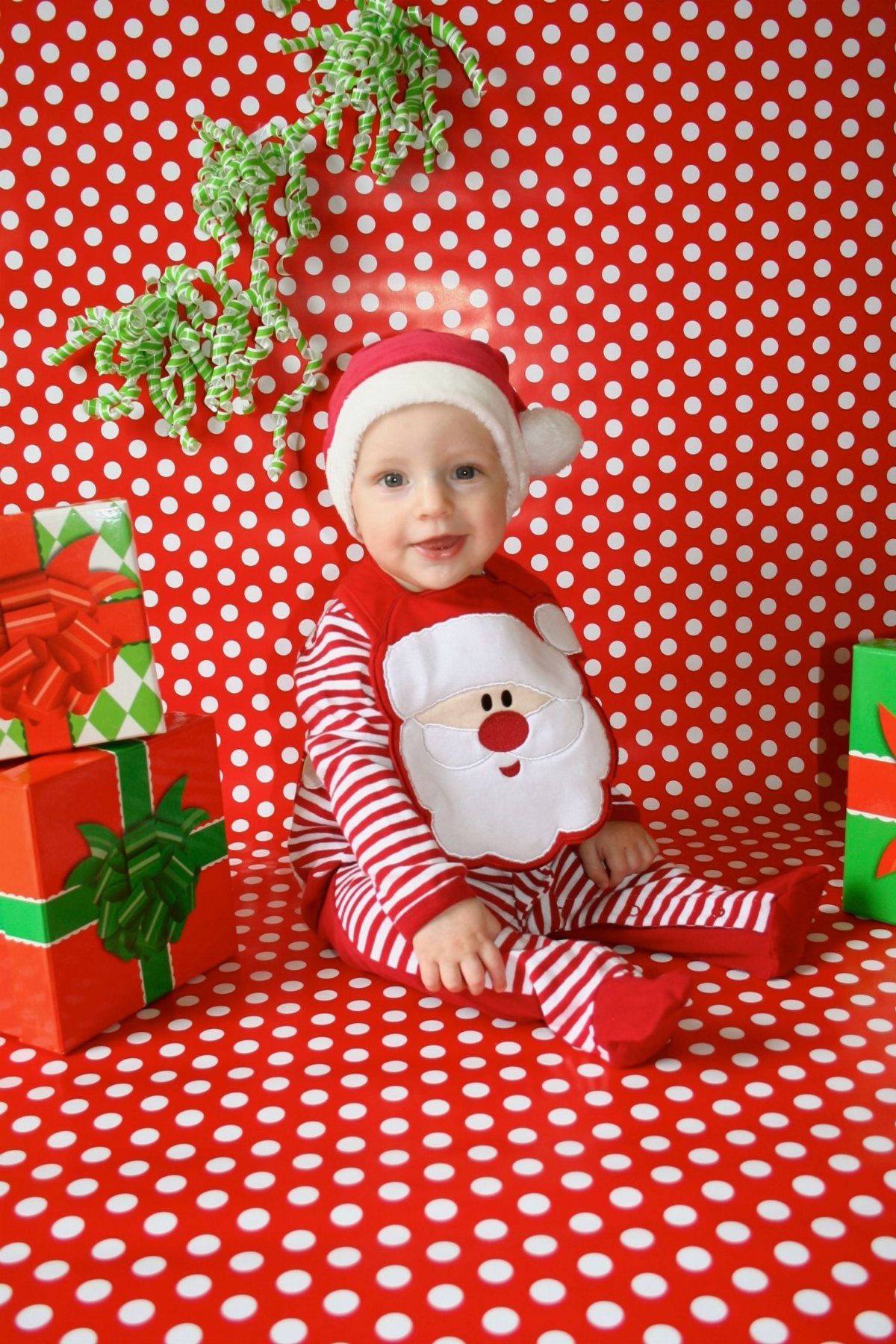
Hanging wrapping paper as a portrait backdrop costs a few dollars and gives you a themed set without a studio.
Smooth the paper flat on a wall or tape several sheets together so no seams cross the face. Stack wrapped boxes and a strand of green tinsel around the sitter for depth.
I would choose a small repeating pattern over a large one, because it stays tidy behind a squirming subject.
4. Themed Holiday Card Photos
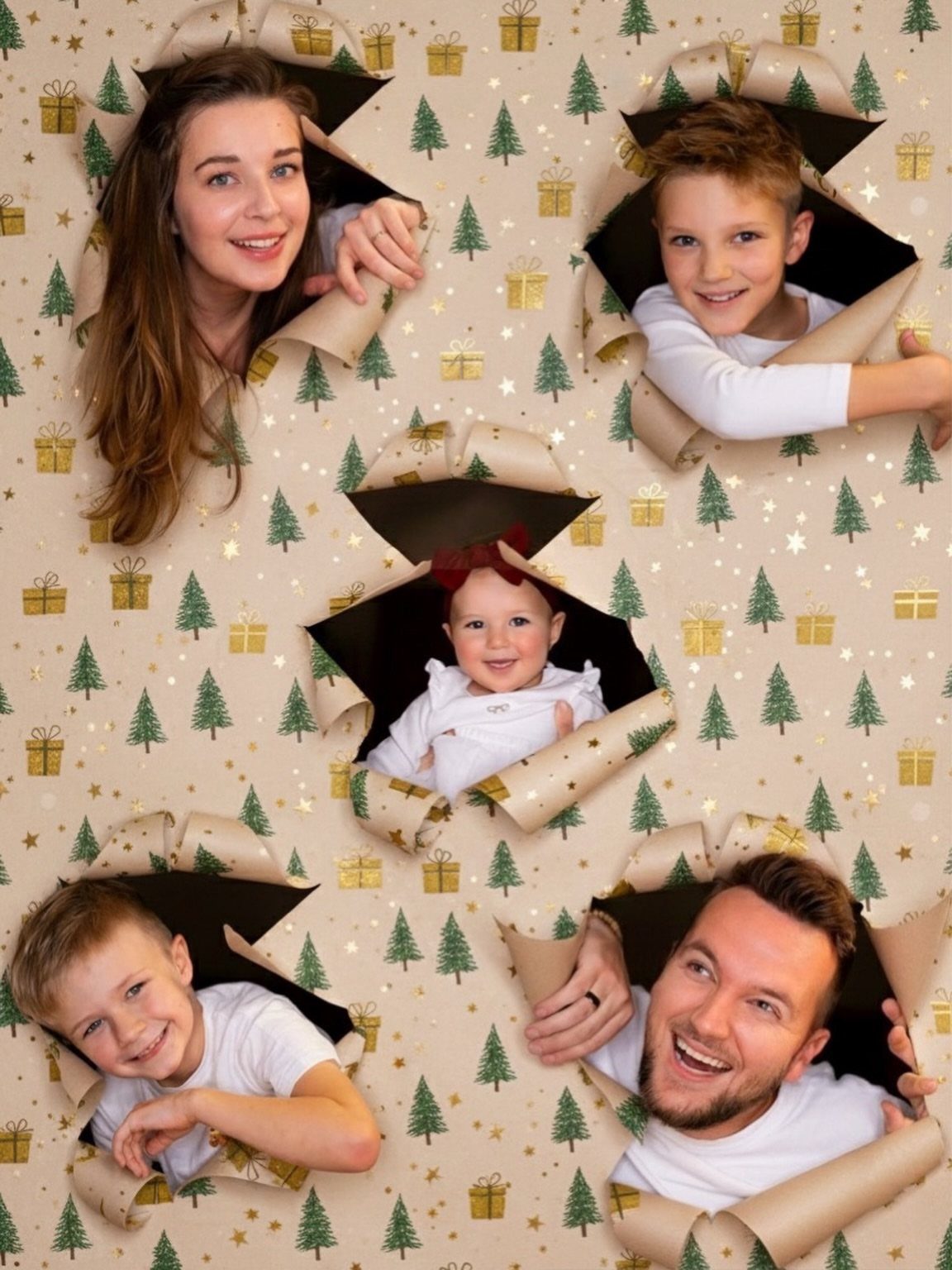
For a holiday card, the whole family can poke their heads through separate holes in one big sheet of patterned paper, and the result looks planned rather than posed.
Measure the holes to match where each person will stand, with the tallest at the back and the kids in front.
Gold-patterned paper gives a festive look without competing with faces, which is why I like it for a group shot.
Take a test frame first to check that every face lines up with its hole.
5. Pets Surrounded by Ripped Wrapping Paper
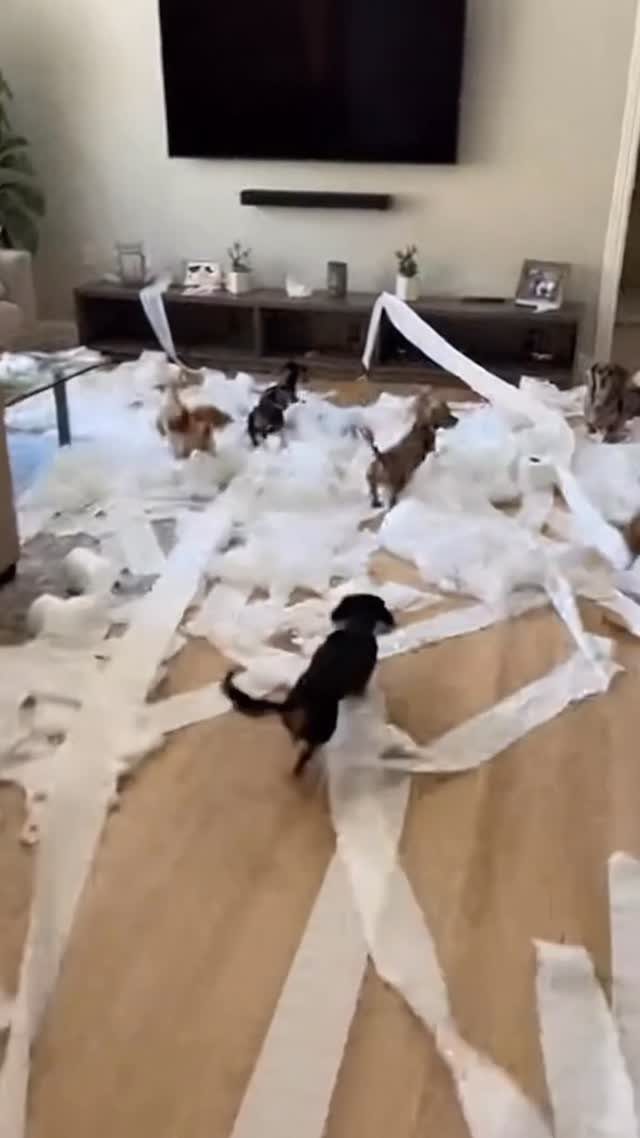
Once the unwrapping starts, the best photo is often the mess: small dogs romping through a floor of torn white paper.
Keep the camera ready before the gifts go down, and shoot at floor level so the dogs fill the frame.
White paper is easy to see against a wooden floor and keeps the scene looking clean even when it is chaos.
Pick up any tape or ribbon afterward, since pets can swallow scraps.
Using AI for Wrapping Paper Photos
An AI photo editor can recreate the wrapping paper look with no paper, no tape and no patient child.
FlexClip’s AI Photo Editor and its AI Image Generator can both produce a wrapped-gift scene in a few taps, and the paper, ribbon and shadows come out realistic enough to pass at phone-screen size.
2 routes work. Upload an existing photo and let the editor add the paper effect, or type a text description and have the generator build the image from scratch.
Be specific in a text prompt: name the pattern, the colors and what the face or pet is doing. A vague request gets a vague result.
If you start from a photo instead of a text description, I would use a sharp, well-lit source image, since the tool can only work with what it is given.
Zoom in on the finished image before posting, and check the edges around hair and fur for odd blurring.
Tips for Festive Photography
Pull seasonal colors into the frame on purpose.
Mix patterns by scale. A large print beside a small one looks planned, while two prints of the same size compete.
Light matters more than any prop. Window light on an overcast day is soft and flattering, so set up near a big window and turn off the overhead lamps, which cast a yellow tint.
If you use string lights, keep them in the background where they glow instead of blowing out a face.
Check the finished color on your phone screen before you commit to a setup. Warm bulbs can shift whites toward orange, and that is easier to fix before the shoot than after.